 Hardik Sodavadiya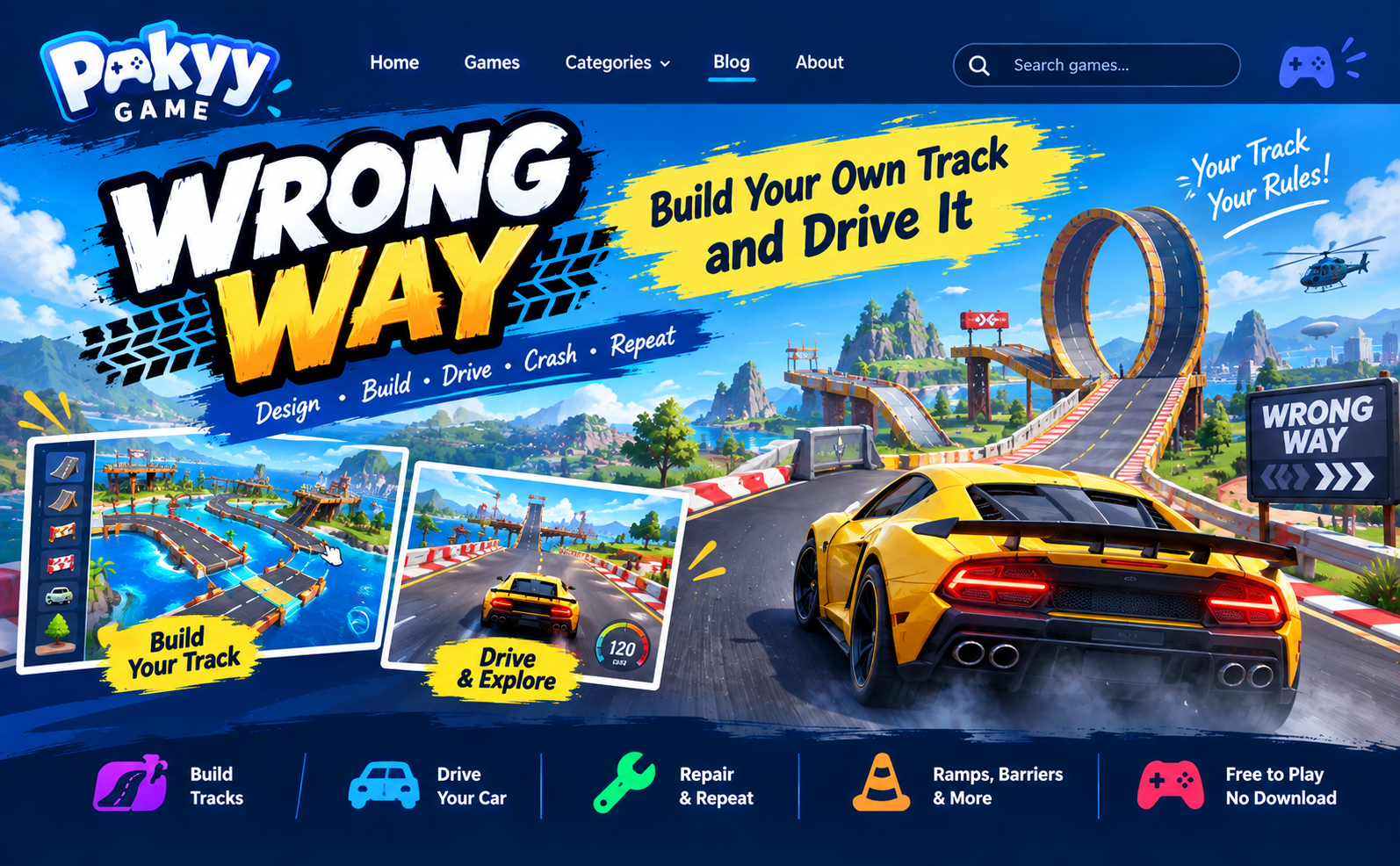
Wrong Way Game: Most racing video games have a track for you to follow. But in "Wrong Way" you do things the opposite way around. First, you design the road, and then you race it. You can create a straight race track, or you can create a messy one full of ramps and obstacles.
In this section, you will be able to get acquainted with the basics of Wrong Way. It includes information about how to use the controls, build an enjoyable track, and some driving tips for beginners. The game is available for free on Pokyy Game website.
What Is the Wrong Way Game?
Wrong Way is a free game for browsers where track creation merges with the stunt driving game. Players begin with a blank map. They select the road tiles, jumps, barriers, and other items from the toolbar and arrange them wherever they want. The road tiles connect seamlessly, and therefore there will be no missing sections at corners or junctions. Once the track is completed, players enter their sports cars and start driving.
No challenges have to be beaten, and there’s no timer. The Wrong Way Game is all about what you construct. Some players will build a highway with large turns, while others will construct an enormous jump which ends with a wall so that they can see the impact.
There can be problems with the vehicle, but there is one thing that fixes it, and this allows you to continue where you left off.
Quick facts
Detail | Info |
|---|---|
Game | Wrong Way |
Type | Driving, track builder, stunts |
Price | Free |
Download | Not needed |
Best on | Desktop or laptop with a keyboard |
Where to play | Pokyy Game |
How to Play Wrong Way
The game is easy to learn. Here is the basic flow:
To start, launch the game and let it load for a few moments.
Go to build mode first. Select one of the road segments on the tool bar.
Lay out the road. Connect the road segments in a circle, a line, or any formation you want.
Decorate your road. Drop some ramps, fences, cars, buildings, or trees.
Shift to drive mode and see how it performs.
Fix any problems. If the jumps are too small or the turns too sharp, redo them.
Most gamers use the first few minutes to put something down and see how it goes. This is an excellent way of learning.
Wrong Way Controls
Keep this table nearby the first time you play.
Key | What it does |
|---|---|
W A S D or arrow keys | Drive the car, or move the camera while building |
Mouse | Look around and place objects |
Space bar | Handbrake |
R | Repair the car |
Enter | Reset the car |
T | Slow down time |
C | Change the camera view |
The T key is what newbies are most likely to forget. The slowdown feature helps you position your jump or observe a crash in slow motion. The enter key is equally helpful when your car flips over.
How to Build a Good Track
A good track is something enjoyable to go around again and again. Below are some simple guidelines that will do.
Begin with the small stuff. Avoid constructing an enormous track right from the start. Begin with a small circuit, test drive it, and then introduce only one thing at a time.
Go for large turns. Tight corners are unpleasant when traveling fast. Allow the vehicle enough room to turn and it will give you smoother rides.
Leave room to land. All ramps must be followed by a long straight road. A wall immediately after a ramp will make the car stall.
Test as you design. After each major alteration, test the track. It is much simpler to correct a single mistake than several.
Design for variety. First a quick straight road, followed by a difficult jump, then a slow cornering road. In that way, the track will not get boring.
Place only useful obstacles. Obstacles can help direct the car; ramps can help to shorten the track. Random obstacles are just obstacles.
Driving Tips for Better Runs
Even a well-built track can be hard to drive. These tips will help.
Don’t use maximum speed on every ramp. Using too much speed will make the car go beyond the landing road.
Use handbrakes on sharp turns. Just a quick press on the space bar will make the car move around the curve.
Slow down the time when you want to do an extreme jump. Just press the T key, position your car, and go.
Change the camera. In case you can no longer see what is ahead of you, press C to try another view.
See ahead, not the car. Look ahead of you and watch the road because you need to react fast.
Repair frequently. A faulty car will have poor handling, and so you should press R.
Track Ideas to Try Today
Not sure what to build? Try one of these.
The speed track. This is an oval course with long and straight roadways. Try to maneuver around without braking.
Jumping park. Construct a row of five ramps with roads for landing between each other. Test your skills by making jumps without a crash.
The slalom. Put barriers on a line, going in a zigzag way through them.
The crash alley. Stack cars and buildings at the bottom of a massive ramp. This ramp is designed for nothing but entertainment.
The mega ramp. Construct the largest ramp possible and watch how far your car can fly.
Beating my track. Create your track, then challenge your friend to do the same. Use a phone stopwatch to time yourself and see which of you is faster.
Why Players Like Wrong Way Game
The game is up to you. The game doesn’t impose any rules on you. You create your own problem.
It is suitable for short sessions. In five minutes, you can create and race in a little track or spend more than an hour in it.
There is no penalty for crashing. Your score doesn’t decrease and there is no game over screen. You fix your car and continue racing.
It changes every time you play. Since the track depends on you, each game might be different from the other.
It loads quickly. It is played through the browser, so you are ready to play in a few seconds.
Wrong Way vs Other Driving Games
Most racing games center on speed. You choose your vehicle and race on a predefined route with the goal of being first. This is fun, yet the same track appears repeatedly.
Wrong Way focuses more on creation. You will have a great time in this game if you love to design things, test out new things and see how they work (or don't).
For speed, you should check out Rapid Racer in Pokyy Game. For some puzzle-type car games that require thinking ahead, you may be interested in Car Parking Jam 3D. All of these games can be played for free in your browser.
Is Wrong Way Game Free? Do I Need to Download It?
Playing Wrong Way is free of charge. There is no need for downloading any apps or creating an account to play it. Just open the game and enjoy playing.
Wrong Way should be played using desktop or laptop because it utilizes keyboard keys. In case the game appears to be lagging, try out these troubleshooting tips:
Close other browser tabs
Use an updated version of Chrome, Edge or Firefox
Restart the page and let it load fully before you start
Final Words
Wrong Way is a great concept that has been brilliantly executed. Build the road, race on it, and set the difficulty level for yourself. The game is absolutely free, requires no download, and provides you with a fresh experience each time you launch it.
Ready to try it? Play Wrong Way free on Pokyy Game and build your first track today. When you are done, check out our other free driving and strategy games.